One of the popular queries I have got by working with many customers for their Defender for Endpoint deployment projects is We need the Defender Security Policies to be assigned and working as soon as the device is onboarded to MDE.
Having Onboarded to MDE, if and when Intune enrollment and Device Registration in Entra ID won’t go as expected, the device is waiting for the policies to be assigned. Meaning, you have an unprotected device in the fleet.
Not Long Ago,
Device needs to be onboarded to MDE, Joined to Entra ID and Enrolled in Intune in order to receive the Security policies.
Devices that are failing the Intune Enrollment or Entra ID registration will not be able to receive the policies.
Enter the Security Configuration Management
The biggest win of this process is once the device is Onboarded to MDE, it will check if the device is registered in Entra ID and if not, it will create a Synthetic Device Identity and a registration until the device fully process with the Entra ID Device Registration Service.
If and when the device is fully registered, it will drop the synthetic device ID continue the device record with the full registration without interrupting services.
This will drop the Entra Hybrid Join prerequisite and will be able to assign the policies and protect the device ASAP.
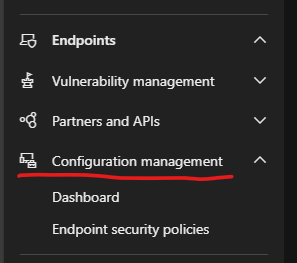
And the security controls and policies can be managed with the help of Defender Configuration Management section.
Architecture Explained
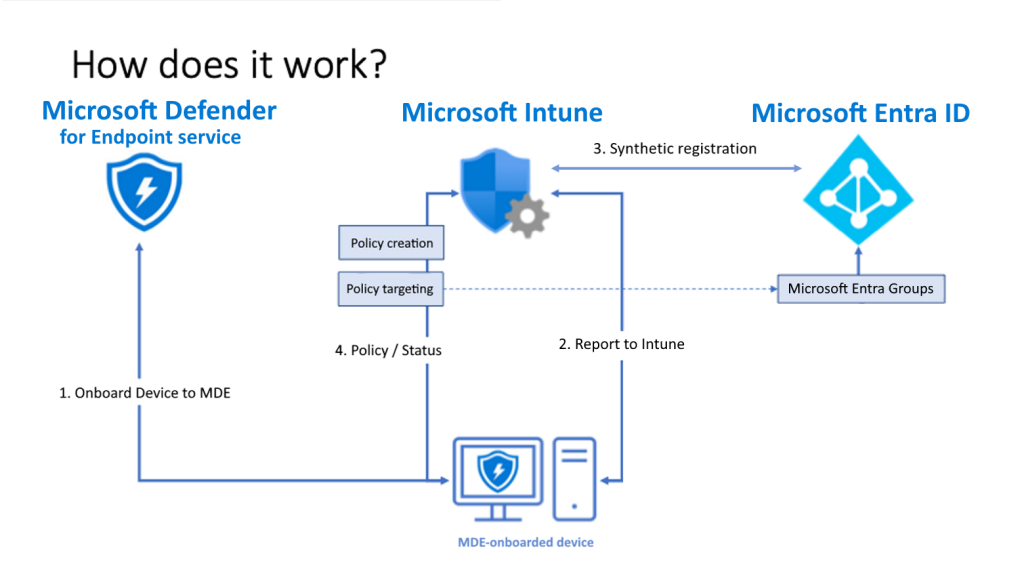
- Devices onboard to Microsoft Defender for Endpoint.
- Devices communicate with Intune. This communication enables Microsoft Intune to distribute policies that are targeted to the devices when they check in.
- A registration is established for each device in Microsoft Entra ID:
- If a device was previously fully registered, like a Hybrid Join device, the existing registration is used.
- For devices that haven’t been registered, a synthetic device identity is created in Microsoft Entra ID to enable the device to retrieve policies. When a device with a synthetic registration has a full Microsoft Entra registration created for it, the synthetic registration is removed and the devices management continues on uninterrupted by using the full registration.
- Defender for Endpoint reports the status of the policy back to Microsoft Intune.
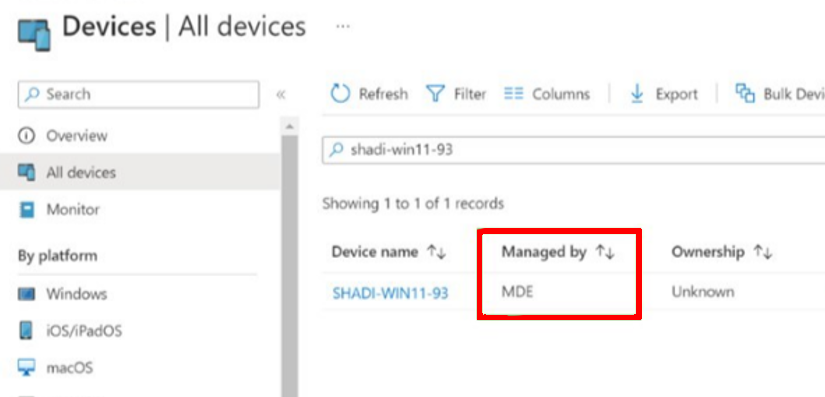
Entra Device Join Type is Blank, but the MDM shows as Microsoft Intune, and when I go into the device it says Managed by MDE 🤯🤯🤯🤯 Help!!
What to expect in portals?
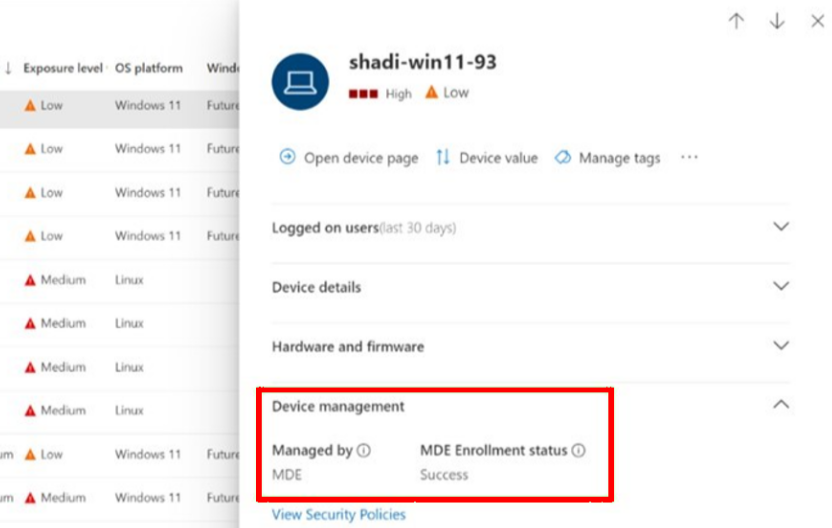
Defender Security Portal: Click on the device and the “Managed by” is set to MDE and “MDE Enrollment Status” is Success
Microsoft Intune: Device is visible in Intune and “Managed by” is set to MDE
Entra ID: Device has completed the Synthetic registration and Join type will be blank
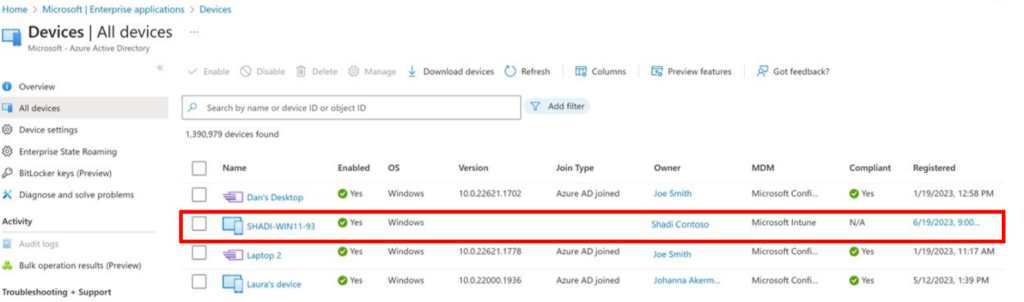
How to filter those devices in Entra ID?
MDM = Intune and Join Type = Blank
You have a supported device, what solution you should use?
- Use Intune If the device can be enrolled and fully managed
- For the devices that can’t be Intune managed, use Security Settings Management in Microsoft Defender
Entra ID Dynamic Group?
deviceOSType is a suitable attribute where you can use as it will be a constant given the manage method changes for the device in the future.
managementType = MicrosoftSense attribute can be used to filter the devices that are exclusively managed by Defender for Endpoint via the settings management functionality.
🔗Learn more about this feature and the requirements for a successful deployment
Wrapping Up
Hope this short article was helpful to understand the backend of how protection works with not fully joined to Entra ID. This is a great way to apply protection to your devices without waiting for the other processes to run. Because security comes first, and it needs to be applied as soon as the device is online.
Discover more from EMS Route
Subscribe to get the latest posts sent to your email.
 EMS Route