
The MDE Sensor Health what we like to see is “Active”. The sensor health we don’t want is “Inactive” or “Misconfigured”. But sometimes it is almost impossible to track the sensor status of all the devices every day so the devices will be all healthy. However, in order to properly communicate with Defender, the endpoint’s sensor should be in a healthy state.
Inactive Sensor state can happen due to devices that have stopped reporting to the Defender for Endpoint service.
Misconfigured Sensor state can happen due to Impaired communications or No sensor data
While there are troubleshooting steps for each of the issues, my approach today is to track the same proactively.
If the device isn’t sending any signals to any Microsoft Defender for Endpoint channels for more than seven days for any reason, a device can be considered inactive; this includes conditions that fall under misconfigured devices classification.
Check –> 🔗Fix unhealthy sensors in Microsoft Defender for Endpoint
There are a few methods of how you can be on top of things by setting up some practices.
- Running a KQL query to identify the devices that have a state that is not Active
- Using the Security Portal UI to filter and get the desired output
The above are all manual tasks and if this task was skipped, the endpoints could be in danger.
What I will be covering 👇🏽
- My Social Experiment
- Power of Advanced Hunting + Automation = Success
- Prerequisites
- Next Steps
- Wrapping Up
My Social Experiment
I opened a poll on Twitter (now X) to get an idea from the community of how they are tracking the devices at the moment.
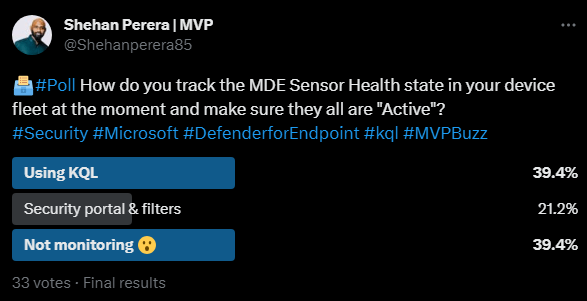
Thanks to the wonderful community as always, I got some insightful replies with some good ideas as well.
Power of Advanced Hunting + Automation = Success
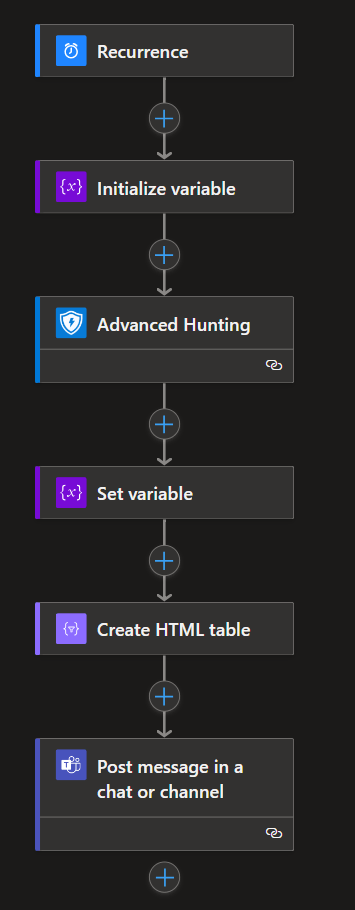
My approach uses KQL to run a hunting query to identify the devices with an inactive or misconfigured sensor health state and notify via Teams every 24 hours. This query will return the latest record for the device that has the Sensor health state.
Note: LastUpdatedTime in my query or Last Device Update in the Device inventory is the Time and date of the last received full device report. A device typically sends a full report every 24 hours.
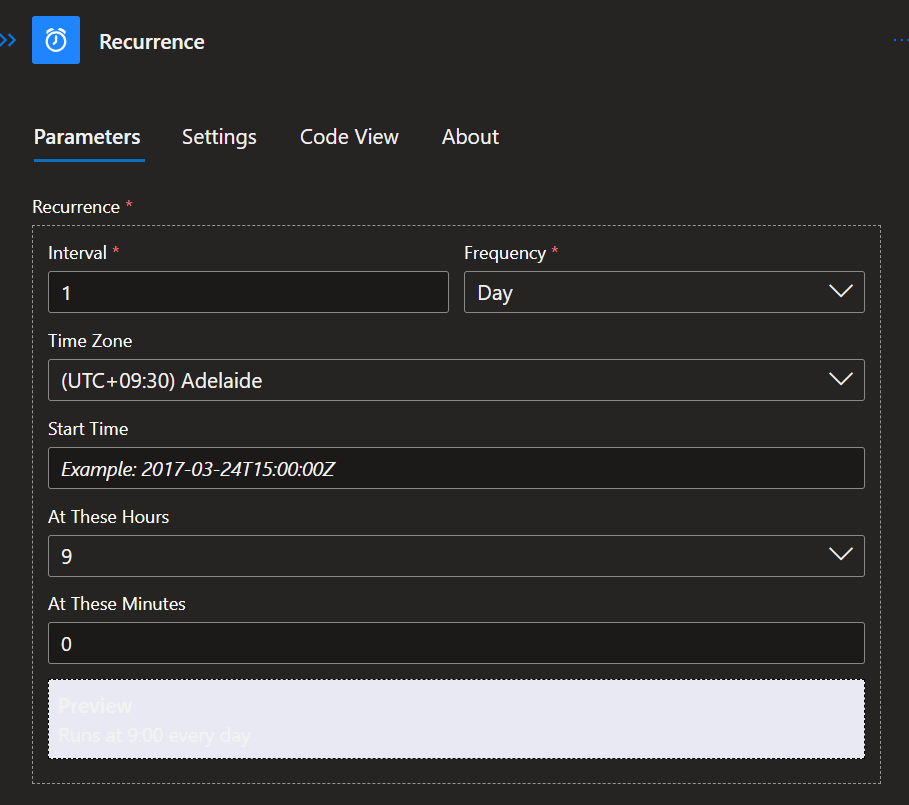
In this way, for the notification time gap I think 24hrs is a good interval.
Workflow in a nutshell 👇🏽
Prerequisites
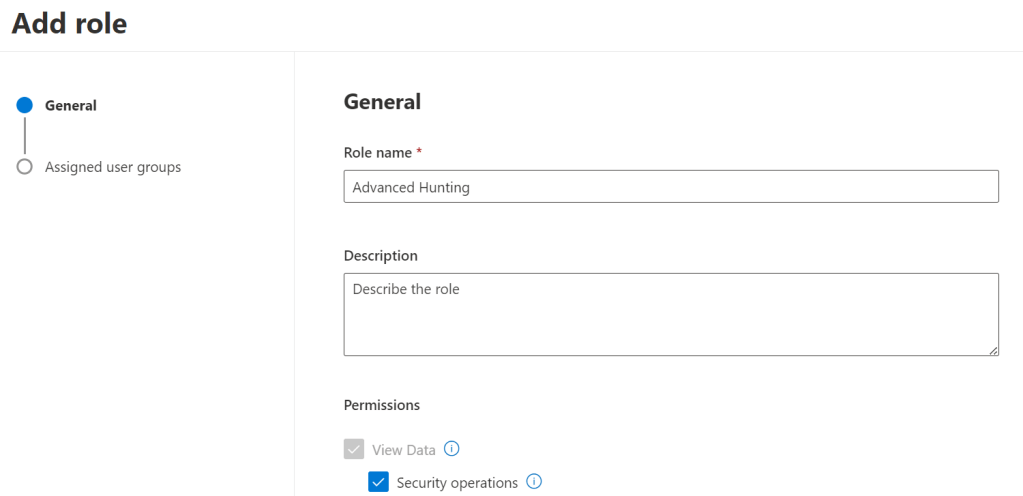
Least privileges of View data- security operations role is required for Viewing hunting data.
- Create your Hunting Query
DeviceInfo
| where SensorHealthState == “Inactive” or SensorHealthState == “Misconfigured”
| summarize max(Timestamp) by DeviceName, SensorHealthState, OnboardingStatus, OSPlatform
| extend LastUpdatedTime = max_Timestamp
| project DeviceName, [‘LastUpdatedTime’],OSPlatform, SensorHealthState, OnboardingStatus
- Create the Logic App
For this part, you need to have an Azure subscription.
- Create a resource > Logic App (by providing the name and other attributes)
Next Steps
- Go to the Workflows section
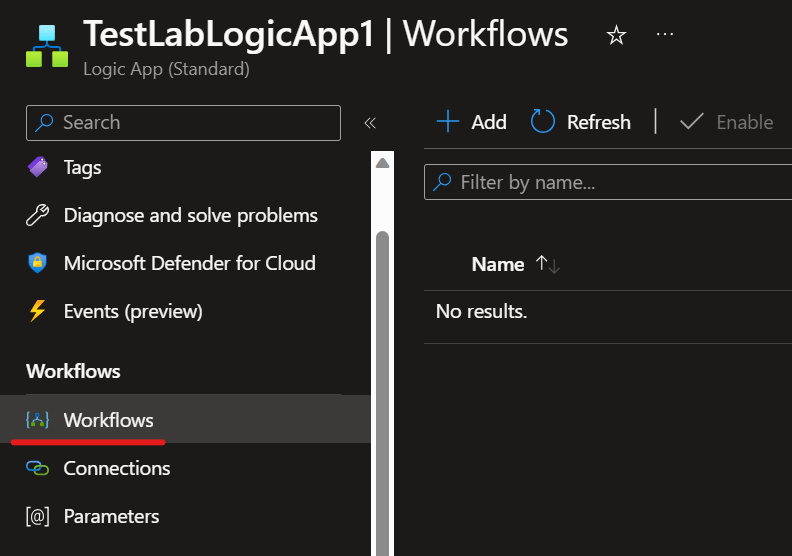
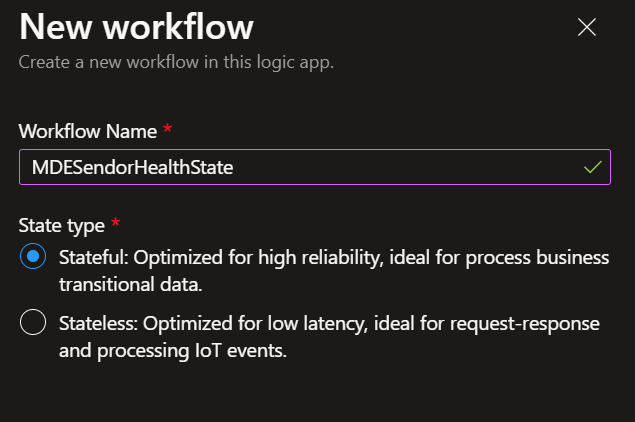
- Add a new Workflow with the type Stateful
- Add the trigger
- Add an Initialize Variable action

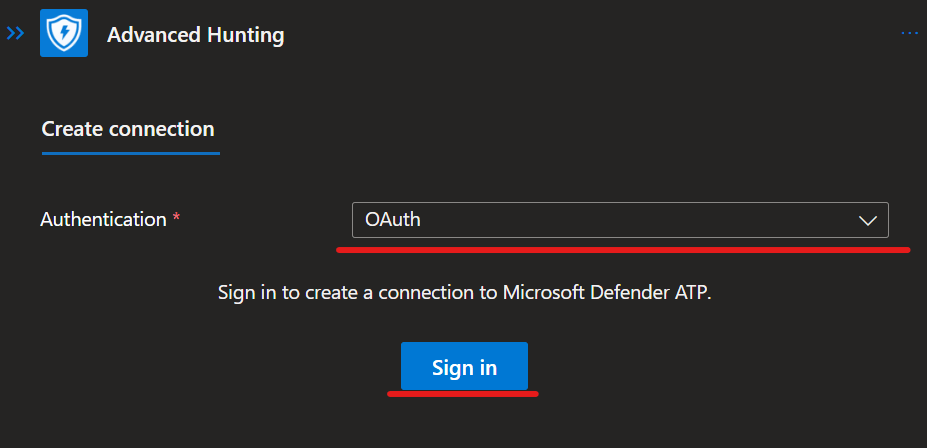
- Create the Action by adding the Advanced Hunting under Microsoft Defender ATP and Sign-in with the account
- Add your query

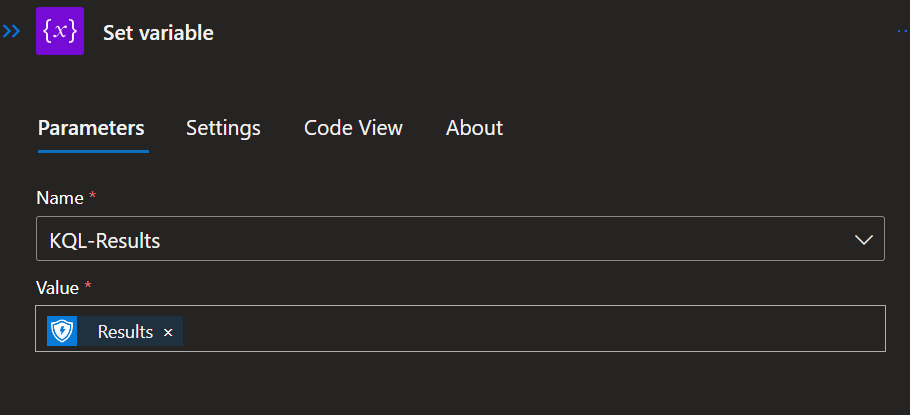
- Add a Set Variable action so the Value “Results” can be added to the array
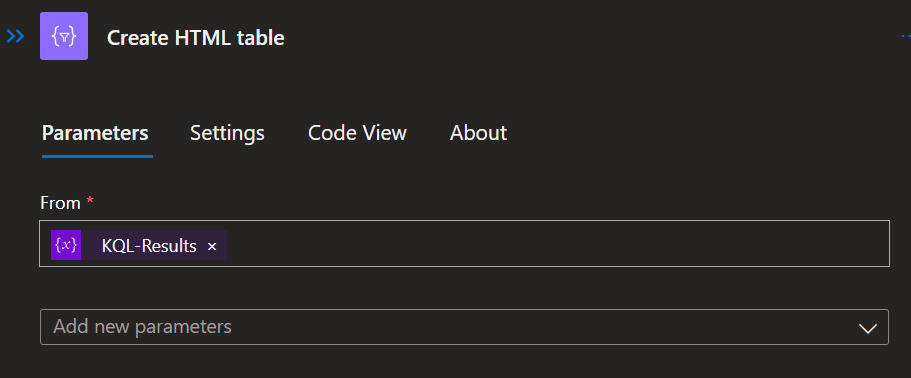
- Add a Create HTML table from the “KQL-Results” array so it will be cleaned for presentation
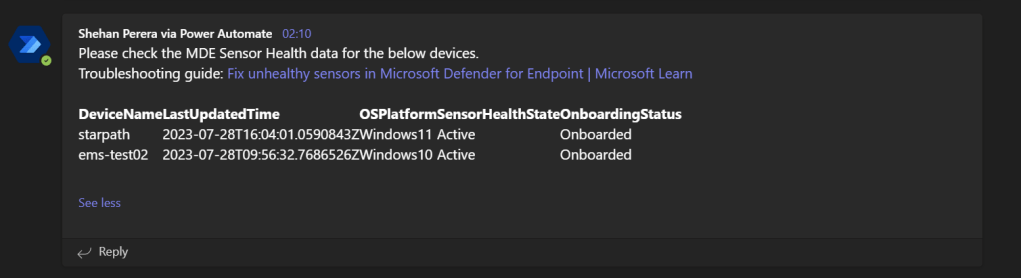
- And finally add the Teams connection to post the results as a message. As you can see, I have included the Troubleshooting guide in the message.

- The result will be something similar to this. The Sensor state for the devices shows Active. When I was writing this blog, I didn’t have an inactive device so I slightly changed my query to show the Active devices. But the result will be similar to this output, but with Inactive or Misconfigured sensor state.
Wrapping Up
The key here is the Sensor state is in the report that the device is sending to the Defender channels every 24 hours. Chances are the error sensor state for a device may have been sorted by the time you are receiving the notification. But I think this is a good way to keep a track of your device fleet so you can attend and troubleshoot should there be any sensor issues.
Discover more from EMS Route
Subscribe to get the latest posts sent to your email.


the kql query is not upto date? got git repo for logic apps?
LikeLike