Microsoft Defender for Identity or MDI. The main purpose of this write-up is to shed some light on the fact that why you need MDI in your environment and how it can protect your traditional on-premises AD infrastructure. It’s no wonder that there are a lot of other products in the market that do similar activities as MDI, but rather than showing how easy it is to set up and configure, my goal is to give you a high-level architectural point of view which will help to think about the decision again.
- Best of both worlds
- The attack Kill Chain
- What can this perform?
- What can you protect with MDI?
- A high-level architecture
- The ITDR Dashboard
- Connection Between MDI and Defender for Cloud Apps
- How to get the best out of MDI?
- MDI Alerts
- Wrapping up
Best of both worlds
Literally. Most of the organizations are still in the Hybrid setup where you have users coming from the Active Directory and synchronized with Entra ID. While your users in the cloud (Entra ID) are secured and protected by Conditional Access Policies and Entra Identity Protection, there should be a way to have the visibility of what’s going on in the on-premises environment. This is where the power of Microsoft Security comes in.
If you are new to Microsoft 365 E5 and Microsoft Security, MDI is already available and comes with your current Microsoft 365 E5 license, and that is the same reason why you can plan the MDI deployment sooner rather than later and most of all, it the same Defender eco-system and will work in harmony with other services.
Defender for Identity works with the same Defender XDR principles where it identifies threats, prevents breaches, and overall, helps you to guard your on-premises Identity infrastructure.
The Attack Kill Chain

The dreaded attack kill chain of a typical if not the most common mishap that could happen in an organization. All it takes is one user to open a phishing email and everything will happen in a domino effect, resulting attacker getting access to sensitive data, exfiltration of them encrypting following a ransom, or going for the domain dominance. If you don’t have the right controls at each segment as mentioned above in the diagram your organization will be in great danger. Also, this shows how Identity and Access play a huge role which is why I need to discuss protecting the AD Identity infrastructure.
What can this perform?
The first question anyone will have is, what distinguishes MDI from other products. Well first and foremost, it’s the same thing I mentioned above. The same eco-system makes it easy to work with the products natively.
This product does monitoring across the board and leverages signals from both on-premises and AD and cloud identities to help better understand the threats. The signals that are sent to Defender XDR will in return immensely aid in Advanced Threat Hunting work.
What can you protect with MDI?
On-premises Active Directory infrastructure, Active Directory Federation Service, and Active Directory Certificate Service infrastructure.
A high-level architecture

As you can see above, many moving parts connect to MDI to provide the best protection to the identities and it connects with other Defender services to understand the signals.
The ITDR Dashboard
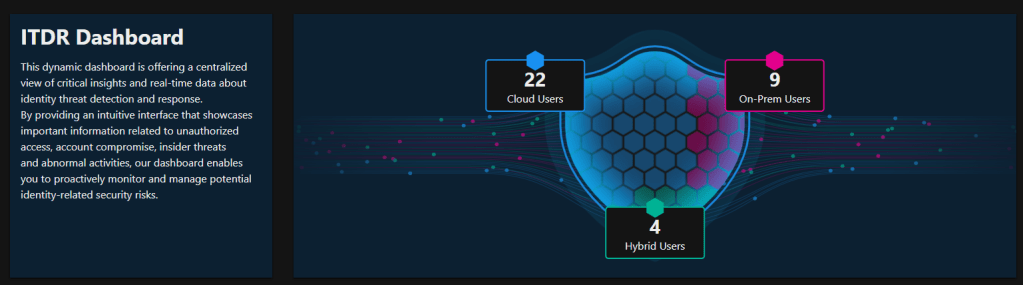
With the developments of MDI in recent months now it has its own Identity Threat Detection and Response Dashboard within Defender XDR and this will help you to understand Identity health at a glance and drill down to specific sections.
It is recommended to check the ITDR Dashboard as a daily activity by SOC analysts, security administrators, and identity, and access management administrators to view critical insights and real-time data about Identity threat detection and response.
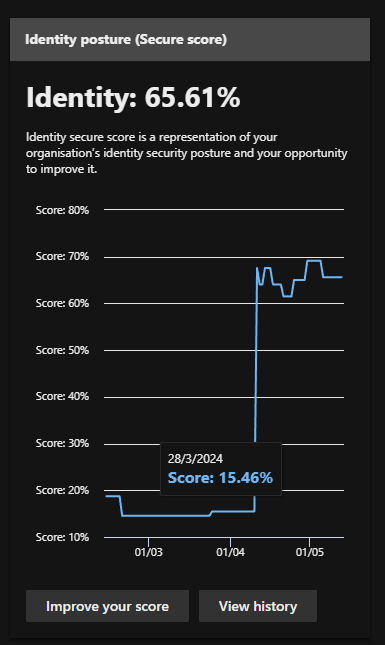
I like the Identity Score in Identity Posture as it gives a picture of the current setup and what needs to be done.
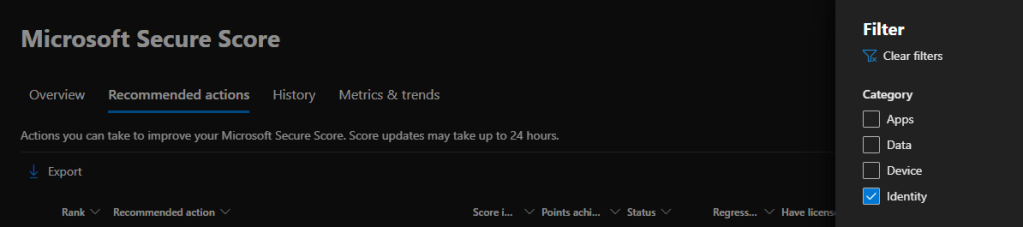
Improving your score will give you all the required actions that you need to take to secure the Identity infrastructure. Filter out so only the Identity recommendations will be shown. However, it is recommended to complete all other actions as well.
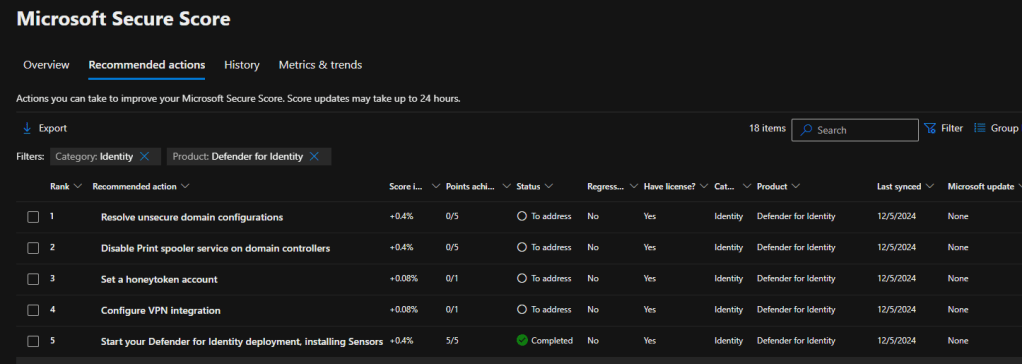
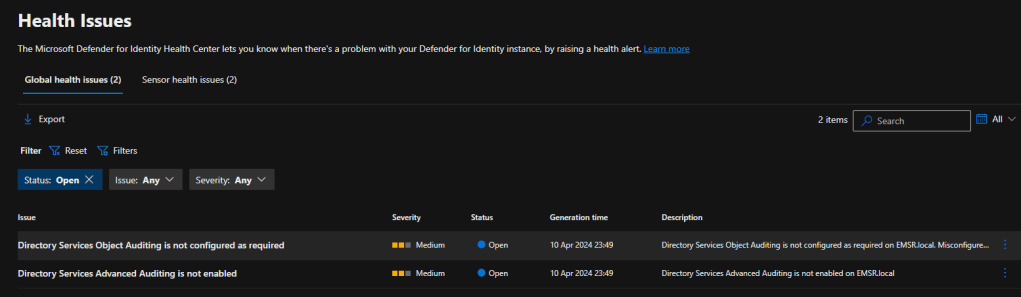
Easily view the Health issues in MDI and sort them out

Connection Between MDI and Defender for Cloud Apps
Defender for Cloud Apps has connectors where you can add third-party identity providers. This will help in Secure Score recommendations as Defender XDR can go up to that extent to understand security posture issues in those IdPs. Defender for Cloud Apps Activity logs will provide good information about the accounts and their related activities. This will bring more insights into those identities when working on the posture management section.

How to get the best out of MDI?
🛡️Onboarding to Defender for Endpoint
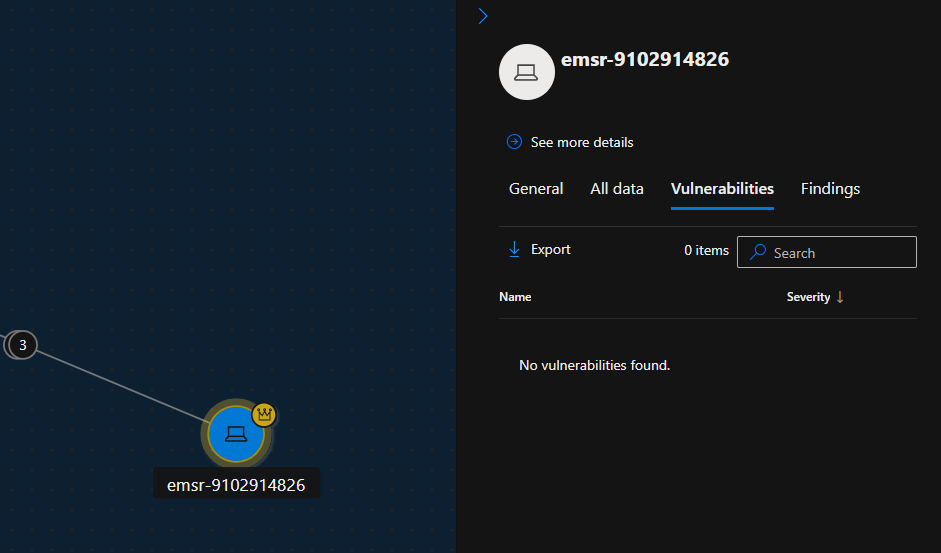
Onboard the devices into Defender for Endpoint. In this way, Defender XDR has already got the visibility of the devices and the signals are already streaming about the devices. This will be very helpful when navigating through the Attack Surface maps and applying the proper remediation.
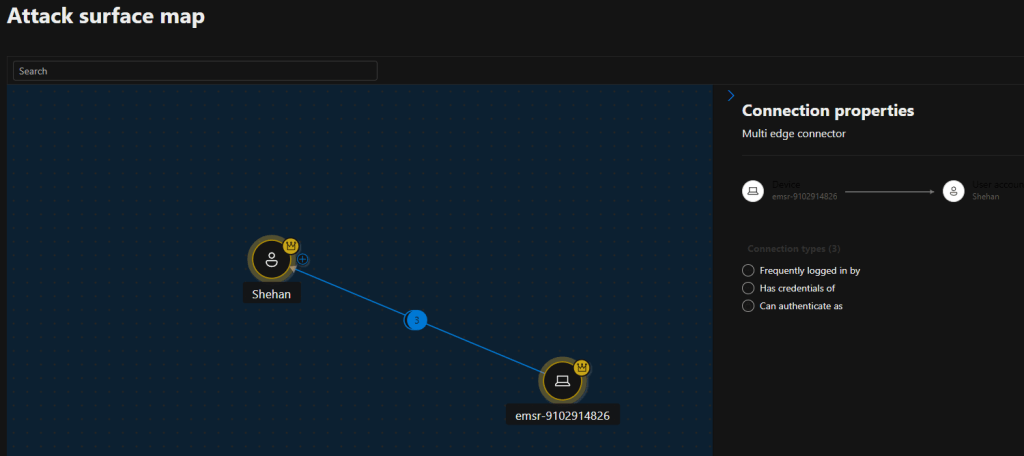
And will be able to easily understand the device
🛡️Configuering the required Audit policies
This is mainly from the events the MDI sensors will send to Defender XDR from your on-prem infrastructure. Configuring the audit policies for Windows event logs is essential to send the events for further investigation.
There are 3 Audit configuerations that needs your attention when setting up MDI.
- Advanced Audit Policy settings
| Audit policy | Subcategory | Triggers event IDs |
|---|---|---|
| Account Logon | Audit Credential Validation | 4776 |
| Account Management | Audit Computer Account Management | 4741, 4743 |
| Account Management | Audit Distribution Group Management | 4753, 4763 |
| Account Management | Audit Security Group Management | 4728, 4729, 4730, 4732, 4733, 4756, 4757, 4758 |
| Account Management | Audit User Account Management | 4726 |
| DS Access | Audit Directory Service Changes | 5136 |
| System | Audit Security System Extension | 7045 |
| DS Access | Audit Directory Service Access | 4662 – For this event, you must also configure domain object auditing. |
- NTLM Auditing
| Security policy setting | Value |
|---|---|
| Network security: Restrict NTLM: Outgoing NTLM traffic to remote servers | Audit all |
| Network security: Restrict NTLM: Audit NTLM authentication in this domain | Enable all |
| Network security: Restrict NTLM: Audit Incoming NTLM Traffic | Enable auditing for all accounts |
- Domain object auditing
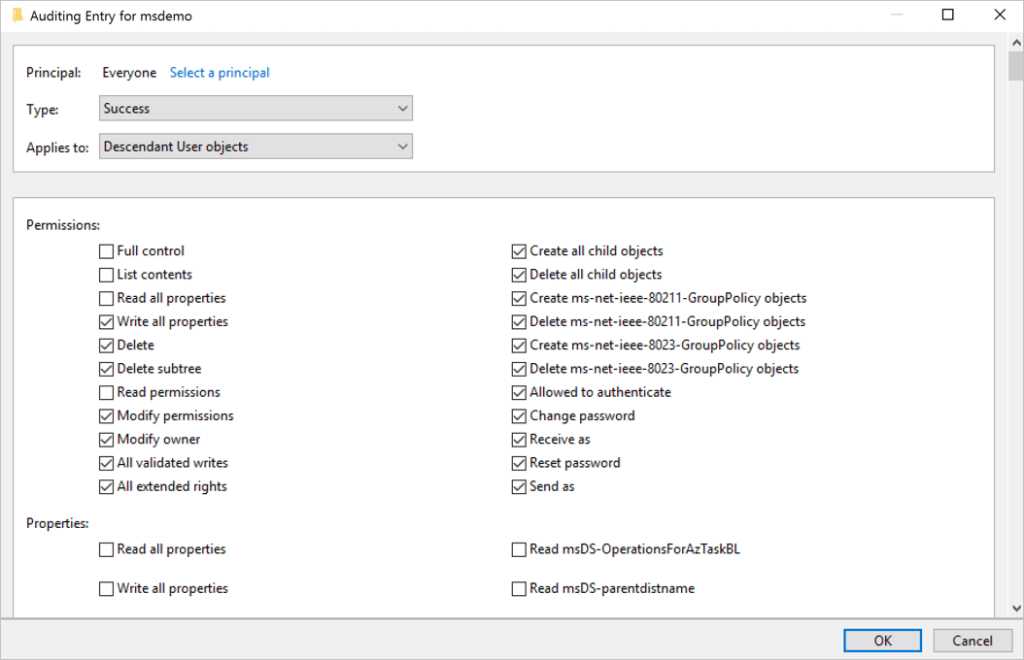
- Descendant User Objects
- Descendant Group Objects
- Descendant Computer Objects
- Descendant msDS-GroupManagedServiceAccount Objects
- Descendant msDS-ManagedServiceAccount Objects
🔗Full Document can be found here
🔗Event Collection overview document
🛡️Setting up proper RBAC
This is more of a best practice, but setting up RBAC from the get-go will be helpful for the documentation and segregation of access and for compliance needs as well.
MDI access levels can be divided into 3 main sections. These can be created as custom roles with the given permissions in the chart.
- Administrators or MDI Service Adminis (GA and Security Administrators are by default MDI admins)
- Users
- Viewers
3 Security groups are being created in Entra ID as well
- Azure ATP (workspace name) Administrators
- Azure ATP (workspace name) Users
- Azure ATP (workspace name) Viewers
| Defender for Identity access level | Minimum required Microsoft 365 unified RBAC permissions |
|---|---|
| MDI Service Adminis | – Authorization and settings/Security settings/Read– Authorization and settings/Security settings/All permissions– Authorization and settings/System settings/Read– Authorization and settings/System settings/All permissions– Security operations/Security data/Alerts (manage)– Security operations/Security data /Security data basics (Read)– Authorization and settings/Authorization/All permissions– Authorization and settings/Authorization/Read |
| MDI Service Users | – Security operations/Security data /Security data basics (Read)– Authorization and settings/System settings/Read– Authorization and settings/Security settings/Read– Security operations/Security data/Alerts (manage)– microsoft.xdr/configuration/security/manage |
| MDI Service Viewers | – Security operations/Security data /Security data basics (Read)– Authorization and settings / System settings (Read and manage)– Authorization and settings / Security setting (All permissions) |
🔗Follow this URL to understand what’s available as activities with the above permissions.
🔗Follow this URL to understand the Required permissions MDI in Defender XDR.
🛡️Readiness and proper sizing to overcome server issues
Now this is important as every environment is unique and the readiness can be varied. The last thing you need is a domain controller server with slow performance.
NOTE: You need to understand the monitoring process runs every 10 seconds and dynamically updates the CPU and memory utilization quota on the MDI sensor process. The monitoring process makes sure the server always has at least 15% of free compute and memory resources available. No matter what occurs on the server, the monitoring process continually frees up resources to make sure the server’s core functionality is never affected. If the monitoring process causes the Defender for Identity sensor to run out of resources, only partial traffic is monitored and the health alert “Dropped port mirrored network traffic” appears in the Defender for Identity sensor page.
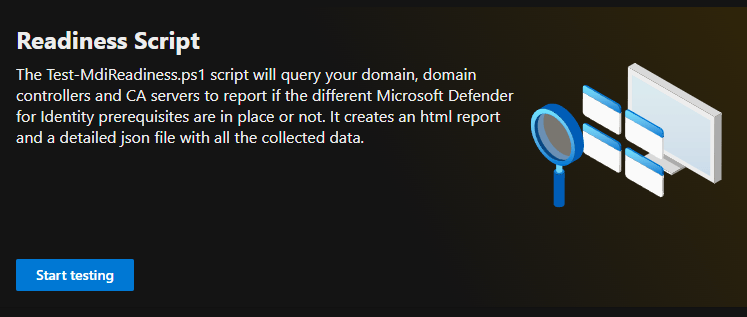
Readiness Script
Readiness Script is available in the Identity section of Defender XDR, under tools. This will direct you to Microsoft’s GitHub page to download the Test-MdiReadiness script.
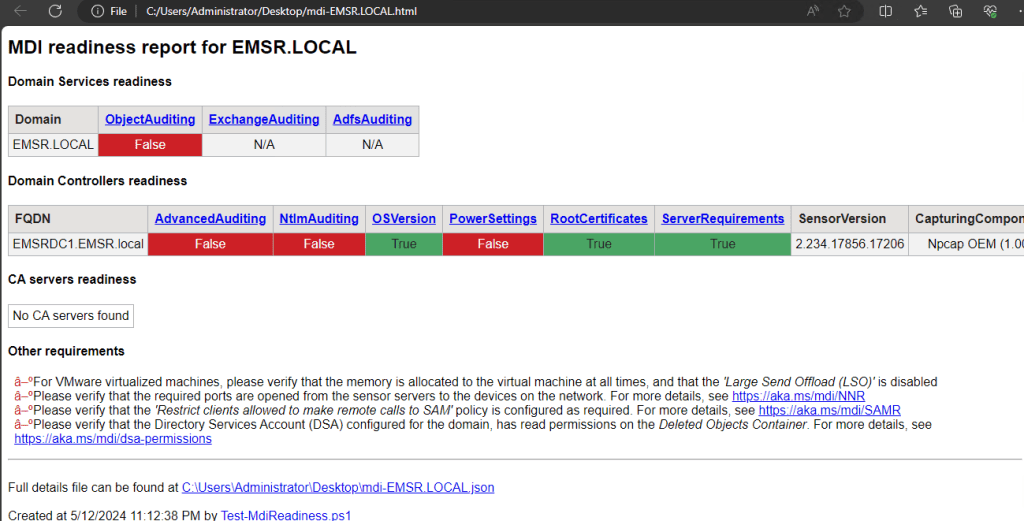
A sample report will be something like this. It is nice to see that there are URLs provided so you can easily check the required steps.
Sizing Tool
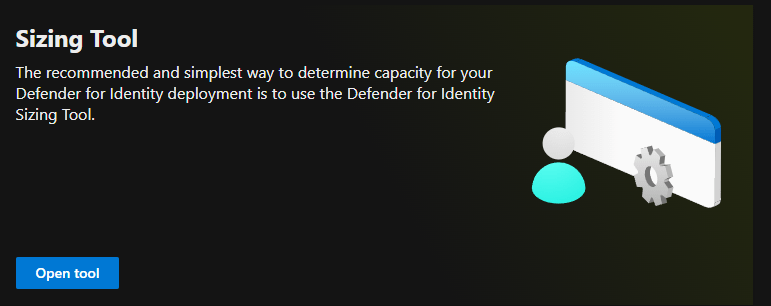
This is in the same location in Defender XDR. The sizing tool can be downloaded from https://github.com/microsoft/Microsoft-Defender-for-Identity-Sizing-Tool
The sizing tool determines whether your server is supported based on the Busy Packets/Second value, which is calculated based on the 15 busiest minutes over a 24 hour period.
A typical report can be like this.
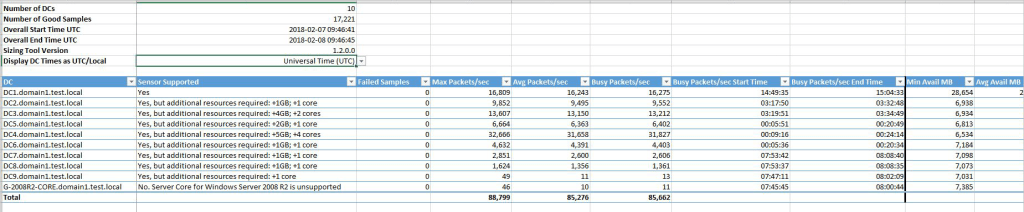
🛡️Advanced Threat Hunting to get all relevant info. And more!
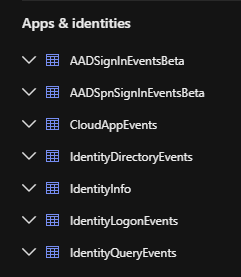
This is a no-brainer if you are using Azure Log Analytics or Defender XDR at the moment. Running the right query can give you a wealth of information related to your identities. At the time of writing the below tables are available in relation to Identity.
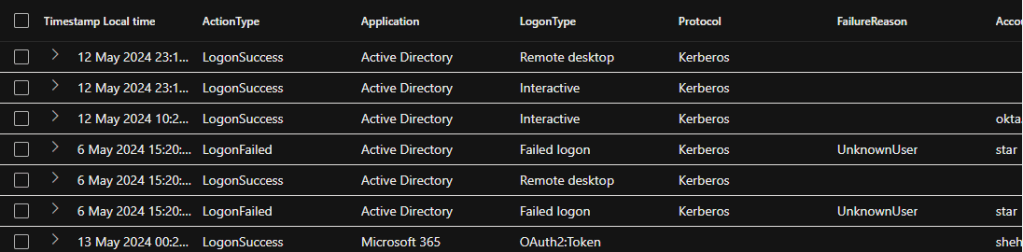
Sample results from the IdentityLogonEvents table as below
🛡️Connecting to Microsoft Sentinel
This is where the fun begins. Connecting to a SIEM will greatly help you and your SOC team manage everything in one place and respond to incidents promptly.
MDI Alerts
🛡️Understanding the Security Alerts in MDI
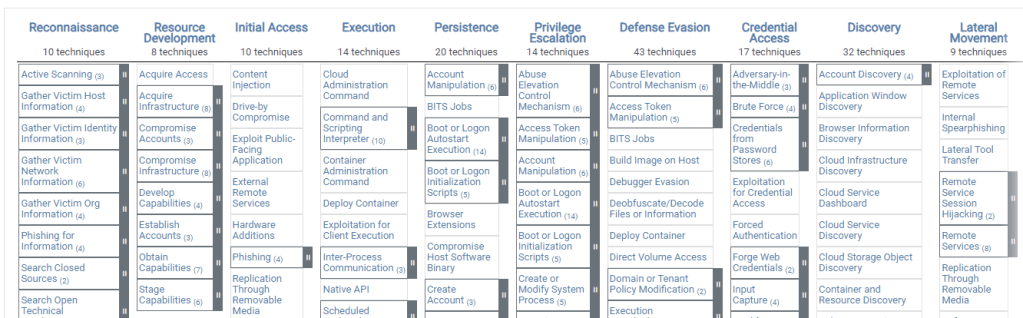
This is the most important part of the decision according to my view. Understanding what MDI can perform is to understand what Security alerts it can report on. As you may already know, these alerts have been mapped to 5 main categories. I’ve used the same MS Learn URLs if you need to follow the alert type to learn more.
- Reconnaissance and discovery alerts
- Persistence and privilege escalation alerts
- Credential access alerts
- Lateral movement alerts
- Exfiltration alerts
These categories align with the MITRE ATT&CK Matrix which can be easily referred to as that is a worldwide standard and Microsoft has a mapping that describes a Unique External ID. These External IDs are permanent and can be used in the automation.
🛡️Adjust alert thresholds
I grabbed the same description from MS Learn pages: Some Defender for Identity alerts rely on learning periods to build a profile of patterns, and then distinguish between legitimate and suspicious activities. Each alert also has specific conditions within the detection logic to help distinguish between legitimate and suspicious activities, such as alert thresholds and filtering for popular activities.
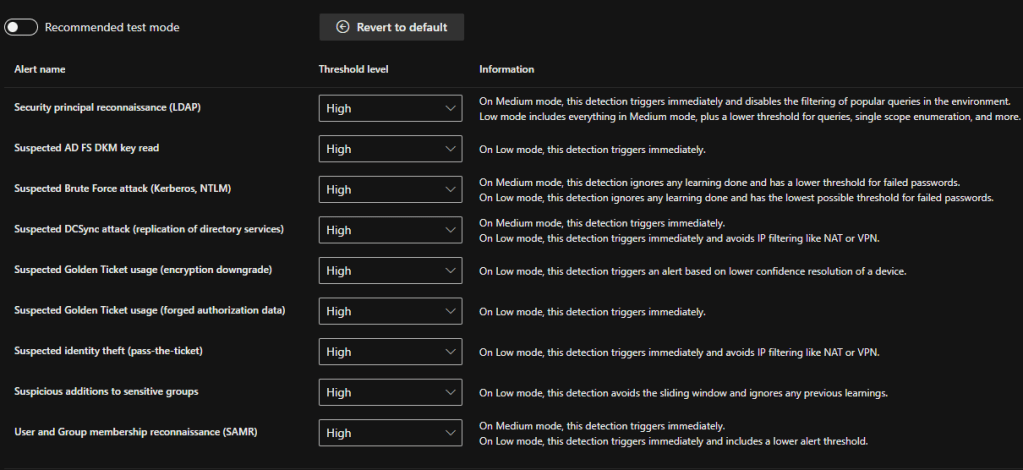
Note: Stay in the Test mode for the Alrtes thresholds to understand the alerts volume beofore making any changes. This option is designed to help you understand all Defender for Identity alerts, including some related to legitimate traffic and activities so that you can thoroughly evaluate Defender for Identity as efficiently as possible.
| Detection | Medium | High |
|---|---|---|
| Security principal reconnaissance (LDAP) | When set to Medium, this detection triggers alerts immediately, without waiting for a learning period, and also disables any filtering for popular queries in the environment. | When set to Low, all support for the Medium threshold applies, plus a lower threshold for queries, single scope enumeration, and more. |
| Suspicious additions to sensitive groups | N/A | When set to Low, this detection avoids the sliding window and ignores any previous learnings. |
| Suspected AD FS DKM key read | N/A | When set to Low, this detection triggers immediately, without waiting for a learning period. |
| Suspected Brute Force attack (Kerberos, NTLM) | When set to Medium, this detection ignores any learning done and has a lower threshold for failed passwords. | When set to Low, this detection ignores any learning done and has the lowest possible threshold for failed passwords. |
| Suspected DCSync attack (replication of directory services) | When set to Medium, this detection triggers immediately, without waiting for a learning period. | When set to Low, this detection triggers immediately, without waiting for a learning period, and avoids IP filtering like NAT or VPN. |
| Suspected Golden Ticket usage (forged authorization data) | N/A | When set to Low, this detection triggers immediately, without waiting for a learning period. |
| Suspected Golden Ticket usage (encryption downgrade) | N/A | When set to Low, this detection triggers an alert based on lower confidence resolution of a device. |
| Suspected identity theft (pass-the-ticket) | N/A | When set to Low, this detection triggers immediately, without waiting for a learning period, and avoids IP filtering like NAT or VPN. |
| User and Group membership reconnaissance (SAMR) | When set to Medium, this detection triggers immediately, without waiting for a learning period. | When set to Low, this detection triggers immediately and includes a lower alert threshold. |
🛡️Tuning Alerts
It is no wonder that the team that is managing the alerts (SOC) will end up getting a lot of alerts once the MDI and other services are switched ON. Also, it is very important to Tune the alerts so you will not lose sight of any critical alerts. Meanwhile, analysts are also required to triage and resolve lower-priority alerts, which tends to be a manual process.
You can use Defender XDR for Alerts Tuning. Alert tuning provides the ability to tune and manage alerts in advance. This streamlines the alert queue and saves triage time by hiding or resolving alerts automatically, each time a certain expected organizational behavior occurs, and rule conditions are met.
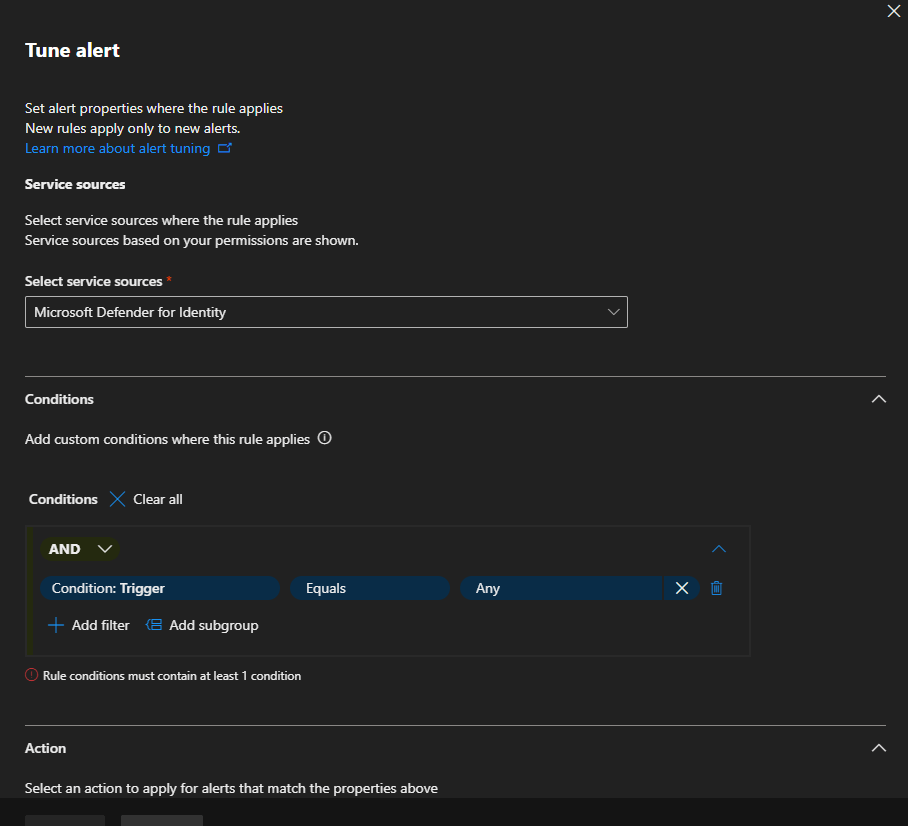
🔗More on Alerts Tuning can be found here
🛡️Security Alerts Classification
This will help you to categorize the alerts in a proper investigation. And in return will aid in understanding similar occurrences that may happen in the future as well.
- True positive (TP): A malicious action detected by Defender for Identity.
- Benign true positive (B-TP): An action detected by Defender for Identity that is real, but not malicious, such as a penetration test or known activity generated by an approved application.
- False positive (FP): A false alarm, meaning the activity didn’t happen.
For each alert, ask the following questions to determine the alert classification and help decide what to do next:
- How common is this specific security alert in your environment?
- Was the alert triggered by the same types of computers or users? For example, servers with the same role or users from the same group/department? If the computers or users were similar, you may decide to exclude it to avoid additional future FP alerts.
Wrapping up
It is wise to think that MDI and the Identity threat detection and response roadmap are looking really good. The amount of features that it has at the moment will help you to guard and manage your identity infrastructure and protect from all aspects of attacks and it is essential to take care of your on-premises environment in the same way you protect your cloud entities.
Discover more from EMS Route
Subscribe to get the latest posts sent to your email.
 EMS Route
Hi Shehan,
Great article some information are very in detail couldn’t find in MS articles as well.
What do you think about Alert generation and learning period? I did configure MDI and execute below queries on a member server to generate user & group reconnaissance alerts. Till now I am not receiving alerts
Net User /Domain:User
Net Group /Domain:Group
I do have honey token account and execute the same using that account. Still no alerts for reconnaissance. However, I am getting an alert Honey token was queried via LDAP. Once you get into alert story it not clearly highlights which activities were performed etc. Appreciate if you shed some light here.
LikeLike