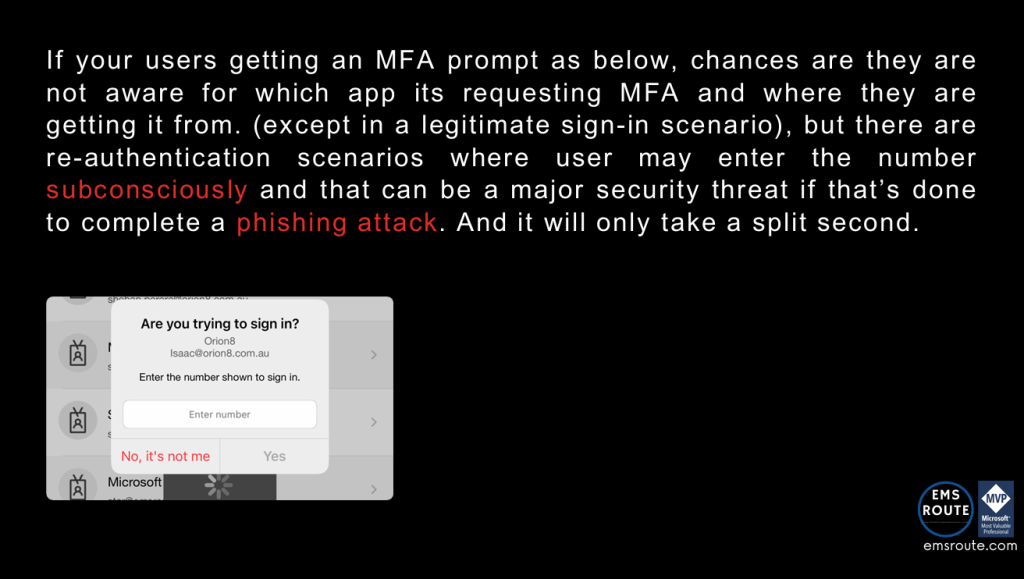
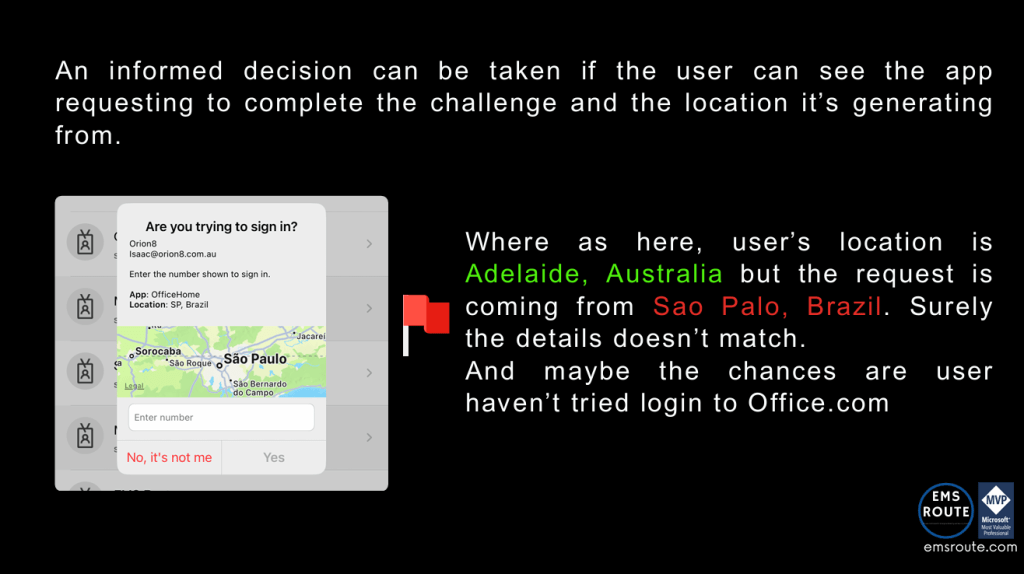
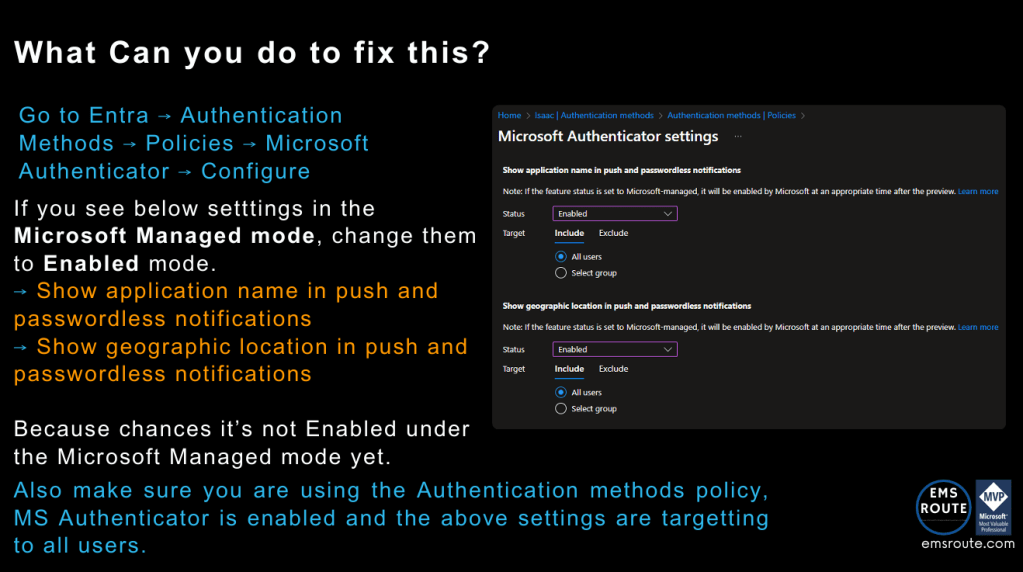
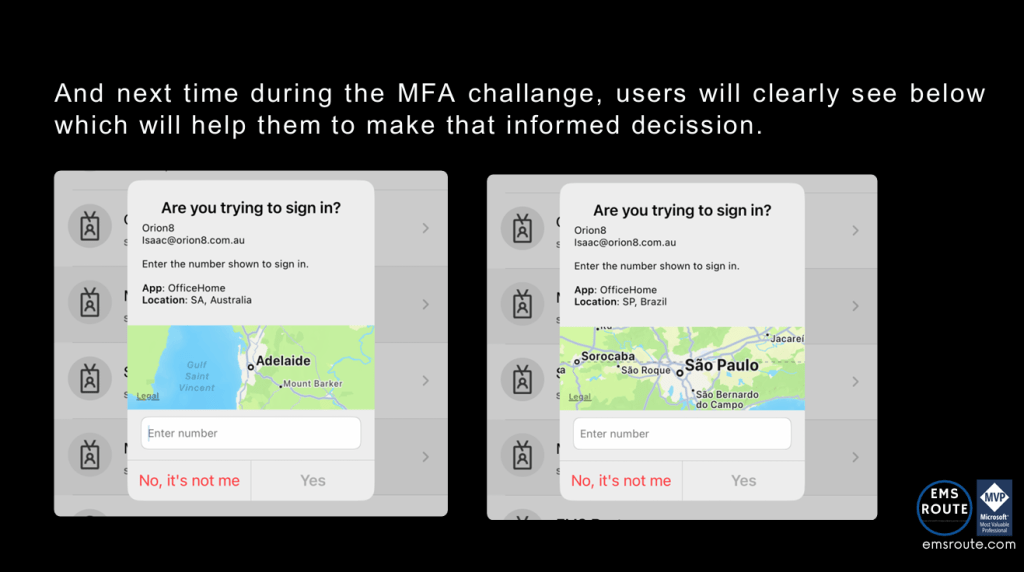
MFA Fatigue is real and at the same time an informed decision to complete an MFA authentication request is important. But the end user only knows so much about the difference between a legit prompt and an attacker-led MFA prompt after stealing their credentials (for an example). This Entra setting will take the guesswork out of the equation and help the user to make that informed decision before completing the authentication request. Hopefully this is enabled in your tenant already, if not this is how you enable within minutes.
Discover more from EMS Route
Subscribe to get the latest posts sent to your email.
 EMS Route
Great post — this has been on my to‑do list as well! One thought I have is that when a user receives an MFA notification, the location shown is often based on the ISP’s endpoint. For the user, this means the displayed location doesn’t necessarily match their actual location, even though it is technically correct. In smaller countries or regions, this can distort the location information quite noticeably, which is why we never implemented this feature. I suspect that this might confuse my users even more. What do you think about that? :)
LikeLike
Thank you, and a good point. I believe this is where awareness comes into the play. Comms to the end-users mentioning what they should and should not see is important so they can take that informed decision.
LikeLiked by 1 person