
Shoulder surfers
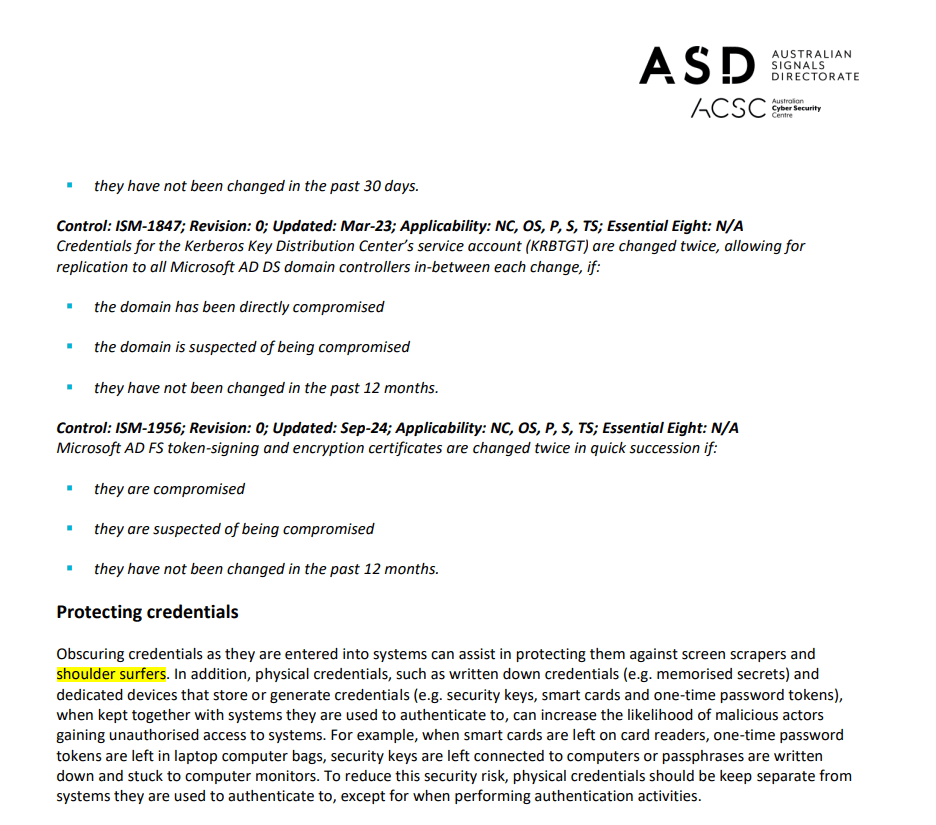
To start with, this looks harmless, but a way to scrape screen for Credentials and for sensitive stuff (documents, content) and co-workers and other people. Australian Signals Directorate calls this out in ISM (Information Security Manual) documentation specifically.
While the Human Presence settings and Presence monitoring are already available in Windows 11, these are some additional settings you can configure.
There can be two types of Shoulder Surfers. The deliberate action (Show and tell type scenario) where the person who is working in the device knows there is someone at the back who is looking at the monitor. And the actual screen scraping scenario that someone wants to grab what’s on the screen.

The more traditional solution is the privacy screens. Which is not ideal to cover every movement or type of device. This is why the modern endpoints are equipped with Human Presence Detection (HPD) technology. Windows 11 supports the settings that can be configured if the device comes with, the HPD sensors.
Human Presence Sensing
As mentioned above, this is currently in place and should work if your device supports the technology and the options are available under Power Settings.
- Adaptive Away Dim Timeout: Specifies the display timeout after a Human Presence sensor has signaled the user is inattentive. .
- Adaptive Inattentive Dim Timeout: Specifies the dim timeout after a Human Presence sensor has signaled the user is inattentive.
- Adaptive Away Display Timeout: Specifies the display timeout after a Human Presence sensor has signaled the user as not present.
- Adaptive Inattentive Display Timeout: Specifies the display timeout after a Human Presence sensor has signaled the user is inattentive.
Manage Presence Settings
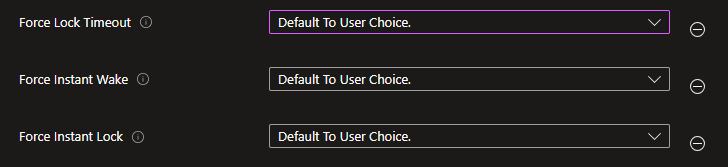
This article will guide you to check and configure items for Presence, but they are also available in Intune for scaled deployments which I’m going explain below.
Settings Catalog > Human Presence
How Does the Onlooker Detection Work?
I found this article from Microsoft that nicely explains the mechanism behind Onlooker Detection.
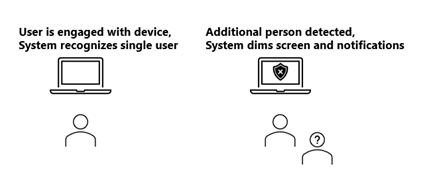
Also, the below table from Microsoft Learn explains the user experience when using this feature.
| Measure | Metric | Comments |
|---|---|---|
| “Accuracy” – User Intent Recognition | >95% Pass Rate (determined by number of successful Test executions divided by total executions) for each scenario | Defined as the time from onlooker entering or exiting detection range (3000 mm default) to screen dim/undim; averaged over three trials. |
| Onlooker Detection Present Latency – Average | <3 seconds | Assuming up to 500 ms sensor latency, a 2-second default OS onlooker detection present timeout, and up to 500 ms OS latency. |
| Onlooker Detection Present Latency – Maximum | <6 seconds | |
| Onlooker Detection Not Present Latency – Average | <6 seconds | Assuming up to 500 ms sensor latency, a 5-second default OS onlooker detection not present timeout, and up to 500 ms OS latency. |
| Onlooker Detection Not Present Latency – Maximum | <9 seconds |
How to check if the device is supported?
I was going through internet to find out a standard document that can be used to understand what device models would support this feature and equipped with the HPD sensors but unfortunately did not find anything.
However, one way to find out is via Device Manager > Sensors > Human Presence Sensor
Also, in the device, go to Settings > Privacy & Security > Presence Sensing
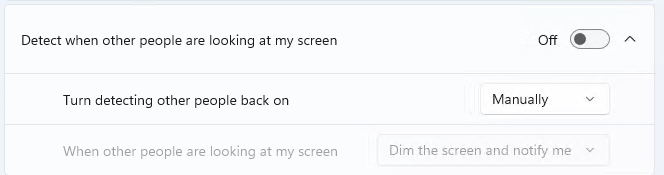

Windows 11 Version Support
These settings have been introduced in to the along with the release of Windows 11 25H2. Yes, the settings are available in the device vendor apps like Dell optimizer app, Lenovo Vantage app etc and now the settings are streamlined and embedded into the OS itself.
Configuring Intune Settings
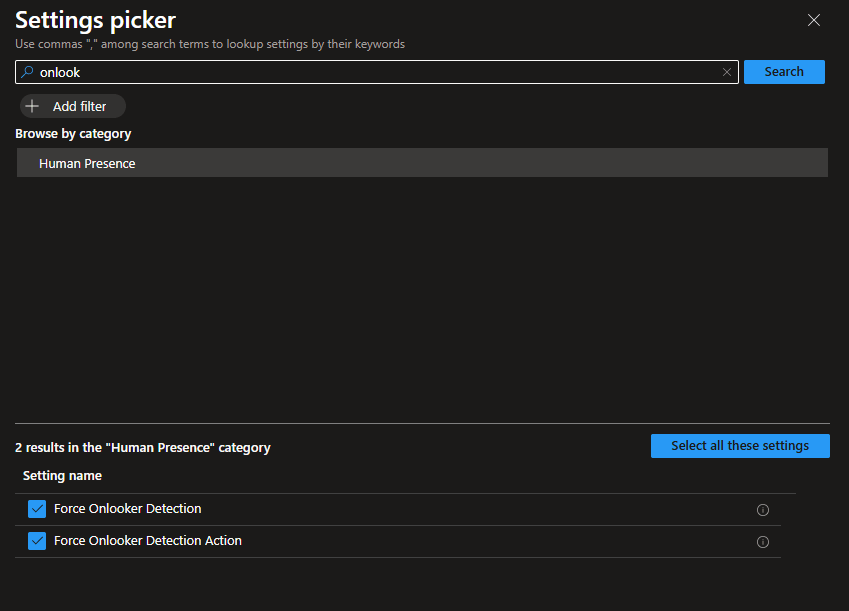
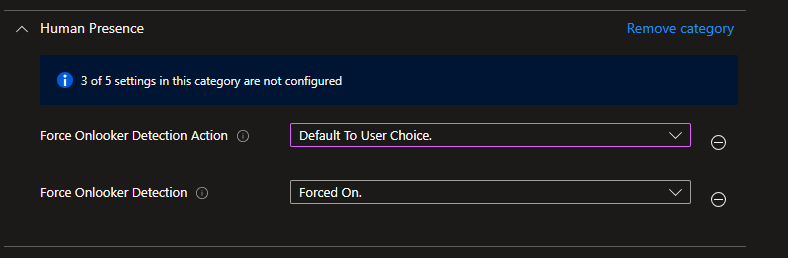
Settings are available in Settings Catalog > Human Presence
And as I mentioned above, you can give the choice to the user to dim the screen if needed or to Force Dim and notify or Forced Notify only.
Wrapping Up
Some actions look harmless until it’s not. Modern tech and with the help of Modern Endpoint Management features and a compatible OS can help you be one step ahead of the privacy game for sure.
Discover more from EMS Route
Subscribe to get the latest posts sent to your email.
 EMS Route